
The complete vehicle repair & insurance management system for modern workshops From the first damage record to the final invoice every step of the repair lifecycle, managed in one intelligent platform.
Managing a busy vehicle repair workshop means coordinating intake, technical diagnosis, spare parts, insurance claims, repair execution, billing, and vehicle handback often across multiple jobs simultaneously. A missed step can mean a delayed repair, an unpaid insurance claim, or a billing dispute with a customer. Our Workshop Management module, built natively on Odoo, brings every one of these workflows into a single connected system. Every damage is recorded, every insured part is tracked, every work order is executed against a confirmed sale, and every invoice to the customer and to the insurance company is generated accurately and automatically.

Eight connected stages take every vehicle from intake to handback with full financial closure.
Set up the damage categories used across all repair records dents, scratches, mechanical faults, electrical issues, and more.
Create the master repair job. Record vehicle details, customer information, and every observed damage on arrival.
Close the Work Order, conduct a quality walkthrough with the customer, and return the vehicle with all documentation.
Flag insured items. Raise a formal quotation to the insurance company. Record approval before insured work begins.
Create a Sale Order from the diagnosis. Confirm to authorise the repair and trigger stock movements.
Generate the operational Work Order for the workshop floor. Assign technicians, track progress, and manage parts.
On completion, generate two invoices: one to the customer for non-insured items, one to the insurance company for covered items.
Technicians assess the vehicle and record all required parts, products, and labour with clear linkage to each recorded damage.
Build a comprehensive library of damage categories tailored to the types of vehicles and repairs your workshop handles. Damage types keep your intake process consistent, fast, and structured.
• Create unlimited damage types: dents, scratches, panel damage, engine faults, electrical issues, tyre damage, glass damage, fluid leaks, and more
• Each damage type includes a name and descriptive notes to guide intake staff
• Damage types are reusable across all Fleet Repair Records
• Organised and searchable catalogue makes recording damage at intake fast and accurate
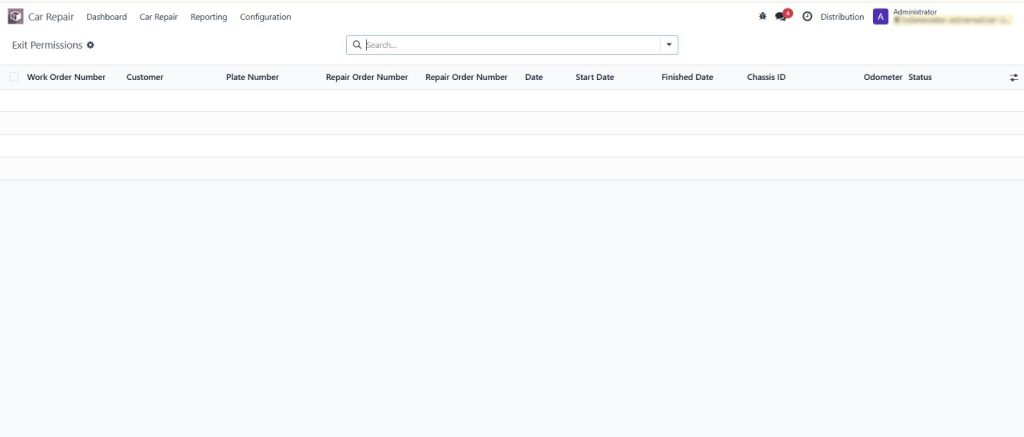
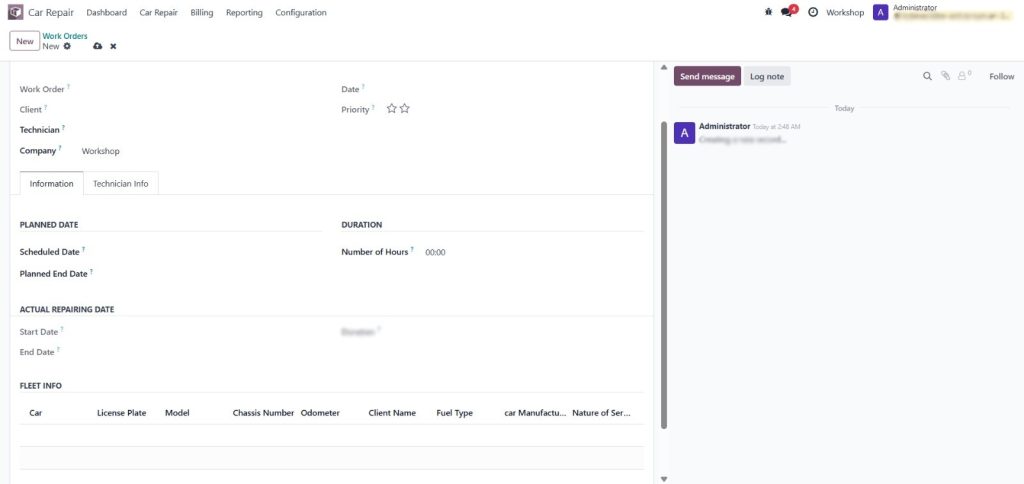
Every vehicle that enters your workshop gets its own Fleet Repair Record the master document that links every subsequent action from diagnosis to final invoice. Nothing gets lost, nothing gets missed.
• Record vehicle registration, make, model, year, colour, and odometer
• Link the record to the vehicle owner for accurate invoicing
• Add multiple damage entries, each with type, location, severity, and notes
• Attach photos and documents for insurance evidence and quality records
• Real-time status tracking: New, In Diagnosis, In Repair, Completed, Invoiced
• Full audit trail of all actions on every repair record
The diagnosis is the technical heart of the repair workflow. Technicians record every required part, consumable, and labour item creating an accurate bill of materials before a single bolt is turned.
• Add unlimited diagnosis lines: spare parts, consumables, fluids, labour services
• Link each line to the specific recorded damage for full traceability
• Automatic cost calculation: parts total, labour total, grand total
• Flag individual items as insurance-covered with one click
• System automatically splits the total into customer-payable and insurance-covered amounts
• Internal technician notes for complex repair requirements
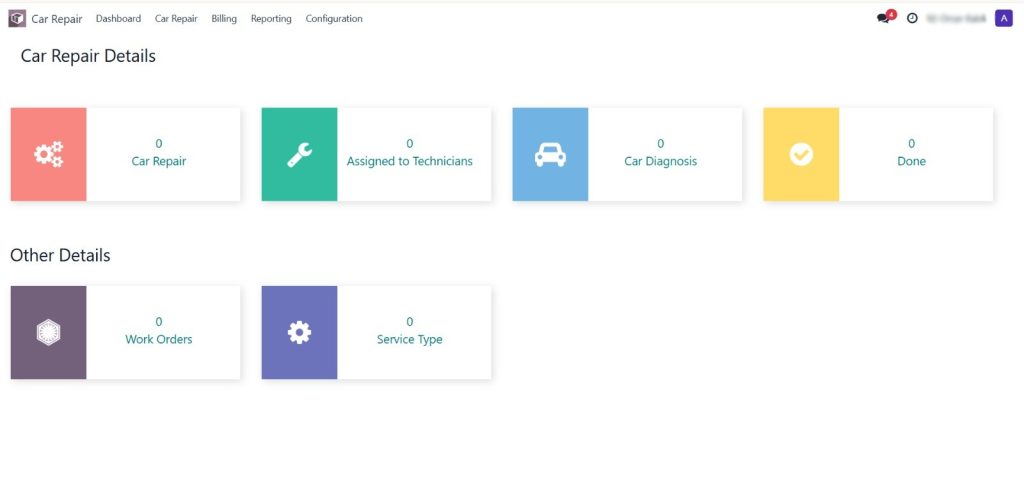
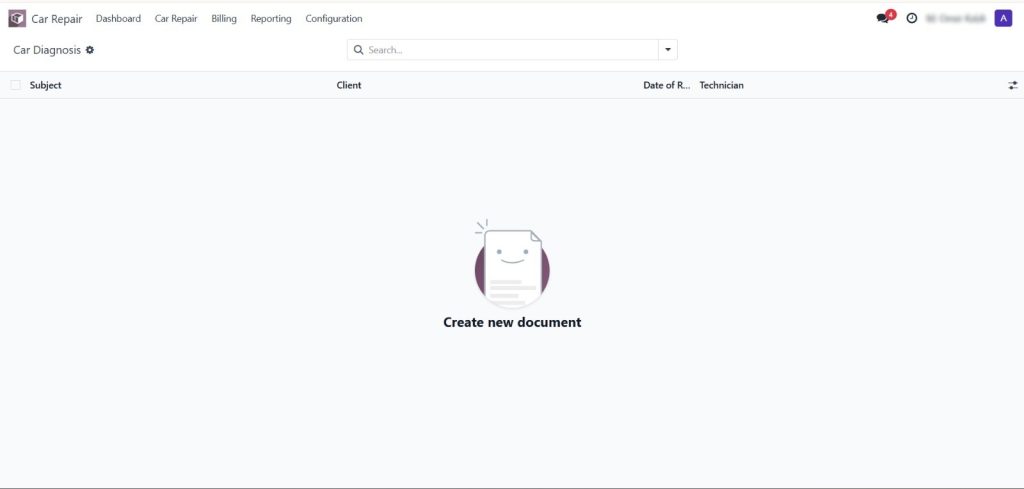
Stop managing insurance claims on spreadsheets and email threads. The Workshop Management module has a complete, structured insurance workflow built directly into the diagnosis and billing process.
• Flag any part or labour line as insurance-covered during diagnosis
• Generate a formal Insurance Quotation from the flagged lines with one click
• Insurance Quotation is addressed to the insurance company with all vehicle and damage details
• Email the quotation directly from Odoo to the insurer’s claims team
• Record insurance approval, partial approval, or rejection against the quotation
• Approved items flow into the Work Order and generate a dedicated Insurance Invoice
• Full insurance claim history per vehicle and per insurance company
The most powerful feature of the insurance workflow is automatic split billing. The system always knows what the customer pays and what the insurance company pays with no manual calculations required.
How Split Billing Works
When a diagnosis is completed, the system identifies all insurance-flagged lines and separates them from non-insured lines. At invoicing, two separate invoices are generated from one Work Order the customer invoice contains only non-insured items (plus any excess/deductible), and the insurance invoice contains only approved insured items. Both invoices are tracked independently in Odoo Accounting.
• Customer Invoice: non-insured parts, non-insured labour, insurance excess/deductible
• Insurance Invoice: all insurance-approved insured parts and labour
• No manual splitting — the system handles it automatically based on diagnosis flags
• Both invoices post to Odoo Accounts Receivable with separate customer records
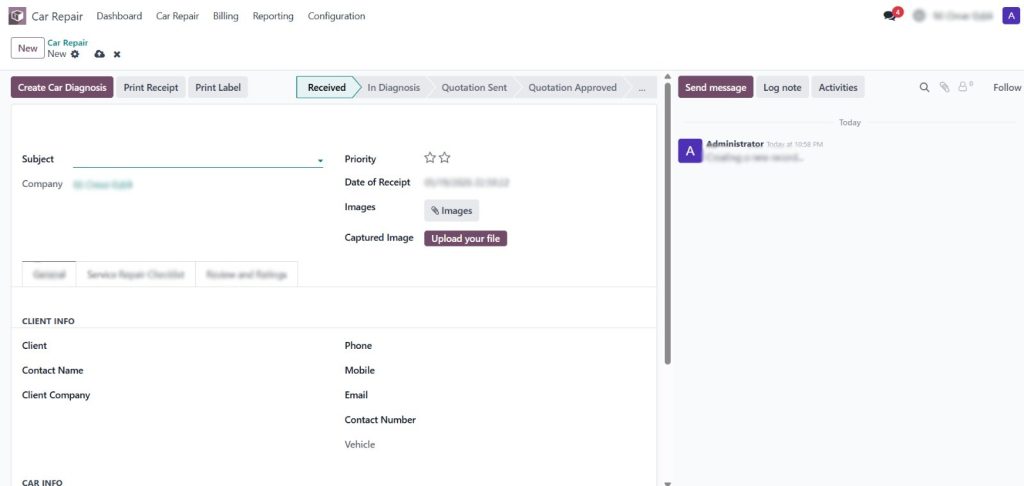
A confirmed Sale Order provides the formal financial authorisation for the repair. No work begins without a confirmed order protecting your workshop and your customer alike.
• Sale Order auto-generated from the completed diagnosis
• All diagnosis lines carry over: parts, labour, quantities, and prices
• One-click confirmation moves the order from Quotation to Confirmed
• Confirmation triggers Odoo inventory to reserve spare parts from stock
• Customer-facing Quotation PDF available for customer approval before confirmation
• Full order history and revision tracking in Odoo
The Work Order is what your technicians work from. It translates the confirmed Sale Order into a clear, actionable task list for the workshop floor.
• Auto-generated from the confirmed Sale Order — no re-entry of information
• Full vehicle details, customer info, and task list on one screen
• Assign the lead technician and individual technicians per task
• Mark tasks as In Progress or Done as the repair proceeds
• Add internal notes for unexpected findings during repair
• Monitor all active Work Orders from a centralised management view
• Real-time status: Draft, In Progress, Completed, Closed
Accurate, fast, and fully integrated with Odoo Accounting. Every invoice is generated from the completed Work Order data no manual invoice creation required.
• Customer Invoice: generated from the Work Order for non-insured items
• Insurance Invoice: generated from the confirmed Insurance Sale Order
• Both invoices include all line-item detail for transparency and dispute resolution
• Invoices post directly to Odoo Accounts Receivable
• Multiple payment methods: cash, card, bank transfer, cheque
• Full payment tracking and reconciliation in Odoo Accounting
• Reminder and follow-up on unpaid invoices using Odoo’s standard follow-up tools
A structured closure process ensures nothing is overlooked when handing the vehicle back to the customer.
• Pre-closure checklist: tasks completed, invoices generated, quality check done
• One-click Work Order closure with closing notes
• Fleet Repair Record automatically updated to Completed on closure
• Vehicle return date and mileage recorded for history
• Full repair summary available for the customer at collection
The insurance workflow is what sets this system apart from generic workshop management tools. Here
is how it works, end to end.
During technical diagnosis, each part or labour line is flagged individually as insured or non-insured.
The system generates a formal quotation for the insurance company containing only insured items.
The quotation is emailed directly to the insurance company from within Odoo.
The insurer's approval, partial approval, or rejection is recorded against the quotation with a reference number.
Approved insured items enter the Work Order alongside non-insured items. All work is executed together.
After completion, a dedicated insurance invoice is raised for approved insured items.
The customer is invoiced separately for non-insured items and any policy excess.
Both invoices are tracked independently. The job is financially closed when both are paid.
Whether you run a small independent garage or a large multi-bay authorised service centre, this
system adapts to your operation.
Manage every job end-to-end with professional invoicing and insurance claim handling without a dedicated IT team.
Handle high volume efficiently with structured Work Orders, technician assignments, and manufacturer-compliant documentation.
Specialised damage recording and insurance integration for collision and paint repair operations with high insurance claim volume.
Manage repairs across company-owned fleets with vehicle history, mileage tracking, and consolidated fleet repair reporting.
Assign different bays and technicians to different jobs simultaneously. Monitor all active Work Orders from one view.
Workshops that process significant insurance work benefit most the split billing and dedicated insurance workflow eliminate manual claim management.
Workshop Management is not a standalone tool. It is a native Odoo module that connects with every
relevant part of your business system.
Spare parts used in Work Orders are drawn from Odoo stock. Reservation, consumption, and replenishment all happen automatically.
Sale Orders and Insurance Quotations are standard Odoo Sales Orders visible in all sales reports and CRM.
All customer and insurance invoices post to Odoo Accounts Receivable. Full financial reporting, aging analysis, and payment tracking included.
Technicians assigned to Work Orders are drawn from the Odoo Employees module for consistent HR and payroll integration.
Internal messaging and chatter on every record Fleet Repair, Diagnosis, Work Order for team communication and audit trail.
Customer and insurance company records are standard Odoo contacts, keeping all communication history centralised.
Every insured item is flagged at diagnosis, tracked through the approval process, included in the Work Order, and invoiced to the insurance company automatically. Claims are never forgotten and never manually assembled from scattered records.
Data entered at one stage carries forward to every subsequent stage. Vehicle details entered at intake appear on the diagnosis, sale order, work order, and both invoices — without anyone retyping a single field.
Every action on every record is logged with timestamp and user identity. From the first damage entry to the final invoice payment, your workshop has a complete, tamper-proof history of every repair job.
The system automatically calculates what the customer pays and what the insurance company pays, based on diagnosis flags. No manual calculations. No billing errors. No payment disputes.
During the technical diagnosis, each part and labour line is individually flagged as insured or noninsured. At the invoicing stage, the system automatically generates two separate invoices one to the customer containing all non-insured items and any policy excess, and one to the insurance company containing all approved insured items. No manual splitting or calculation is required.
Yes. If the insurance company approves only some of the items in the quotation, you can amend the insurance-flagged lines on the diagnosis accordingly. The non-approved items are automatically reclassified to the customer invoice.
When a Sale Order is confirmed, Odoo's Inventory module automatically reserves the required spare parts from your stock. When the Work Order is completed and closed, the stock consumption is recorded. Replenishment can be triggered automatically based on minimum stock rules.
Yes. A vehicle can have multiple repair records over time each representing a separate visit or repair job. The system maintains a complete history of all jobs per vehicle, giving your team a full view of the vehicle's service history.
The Insurance Quotation is a standard Odoo Sales Quotation addressed to the insurance company as a customer. It can be emailed directly from Odoo with the vehicle details, damage descriptions, parts list, and pricing. The insurance company's contact record is stored in Odoo Contacts.
Yes. Work Orders support assignment of a lead technician and individual technicians per task. All assignments are recorded on the Work Order and included in the Work Order report.
The system includes Fleet Repair Reports, Diagnosis Reports, Work Order Reports, Customer Invoices, Insurance Quotation PDFs, Insurance Invoice PDFs, and a Repair Summary Report showing revenue split between customer and insurance for any selected period.
Yes. The Workshop Management module is compatible with both Odoo Community and Enterprise editions, and supports Odoo Online, Odoo.sh, and On-Premise deployments.
Get a personalised demo and see the full repair-to-invoice workflow in action.
We’d love to hear from you. Reach out anytime for queries or support.
Televerce is a specialized Odoo implementation company dedicated to helping businesses streamline their operations through smart, scalable ERP solutions.
© 2026 All Right Reserved Televerce
WhatsApp us